
Patch 9.1.1.0 & Client Patch 1.1.3.0
Patch 9.1.1.0
Stable Master Overhaul
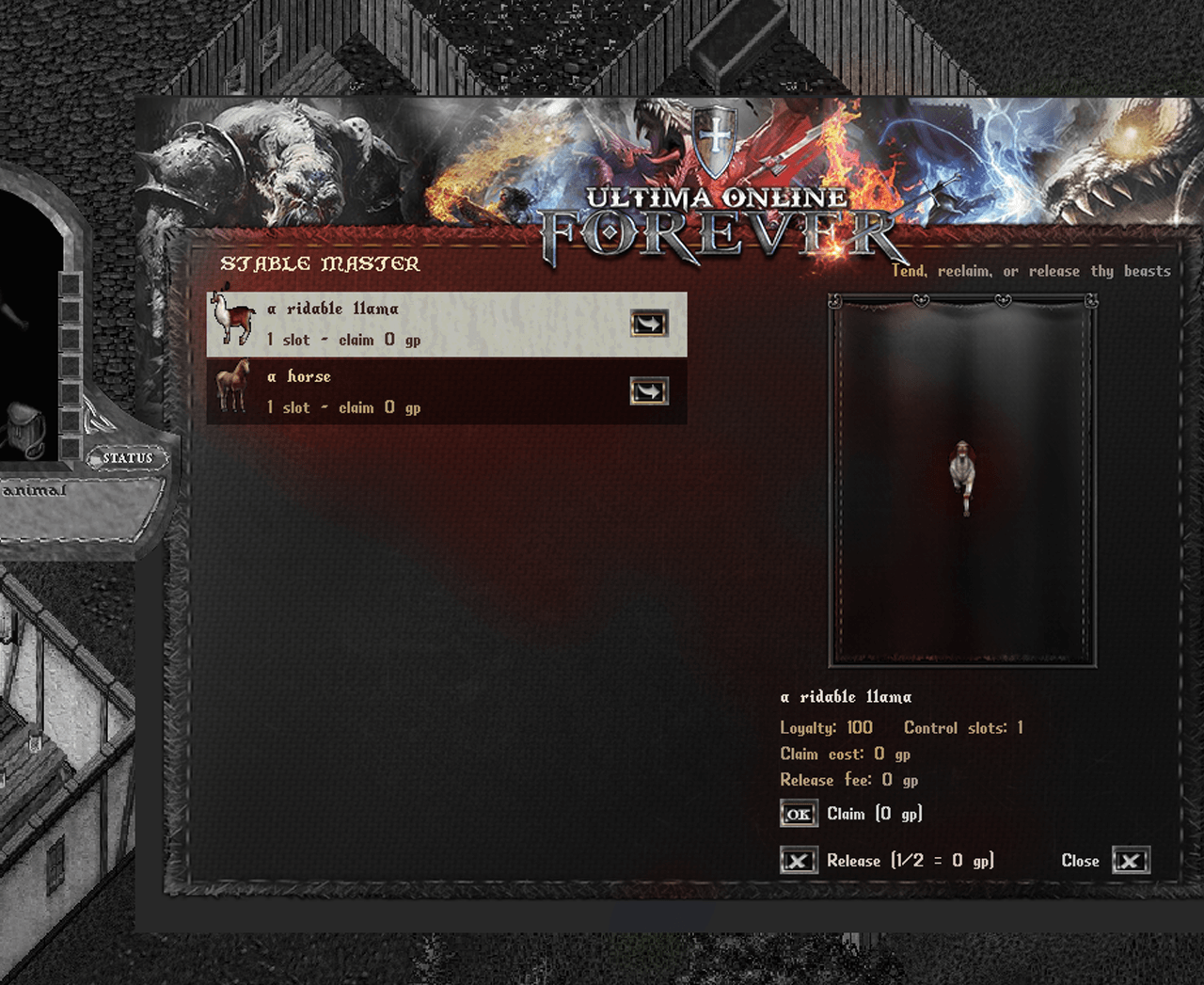
The Animal Trainer has had a makeover. Tending your beasts is now done through a brand-new stable window.
New Stable Window
A redesigned interface lists all of your stabled pets at a glance, with a scrollable list when you’ve got a full stable.
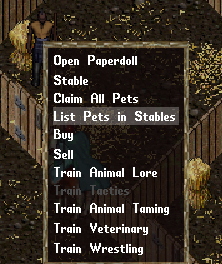
Simply left click any Animal Trainer then click “List pets in Stables”.
Click a pet to bring it up in the preview panel — complete with a live, animated showcase of the creature in action.
Each pet shows its loyalty, control slots, and current costs right up front.
Faster Claiming
Double-click a pet’s icon in the list to pull it straight out of the stables — no menu digging required.
Claiming a pet that has racked up a hefty fee (over 10,000 gold) will now ask you to confirm first, so you don’t get surprised at the till.
Releasing Pets
You can now permanently release a stabled pet you no longer want for half the cost of claiming it.
Releasing is final — the creature is gone for good — so the window walks you through a couple of confirmation steps (including typing to confirm) before anything happens. No accidental releases.
Held & Stolen Pets
Pets that have been trapped or held can now be released as well, not just ransomed back. The usual ransom is still paid out to whoever’s holding the beast.
Ransom payments are now delivered straight to the holder’s mailbox.
More Stable Room
A new Stable Slot Deed lets you permanently expand your stable. Use one from your pack, confirm, and you’ll gain extra slots for keeping more beasts on hand.
As always — pet stealing is allowed, so value your beasts, keep an eye on their loyalty, and grab a summoning ball if you want peace of mind.
Donation Vendor
Two new cosmetic customization options are currently being tested on TEST CENTER and will be available soon.
Backpack Colors
You will soon be able to dye your backpack with the manu hue colors we offer via the Forever Donation Vendor located at West Britain Bank. All hues will be released during the Summer Donation Vendor Update that will be implemented within the next week or so.
Backpack Skins *NOTE: These will be released over-time and example prices shown below are not final.
Give your backpack a whole new look.
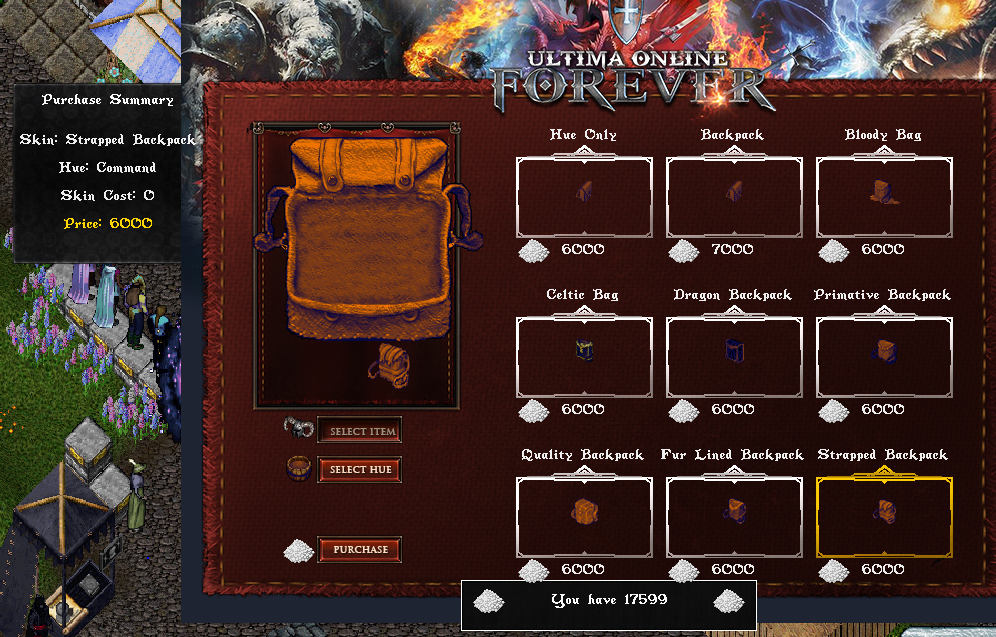
Each skin changes your backpack’s appearance: The world, paper-doll art and the look of the container when you open it.
Pick a skin, pick a hue, and a live preview shows the open-container and paperdoll look in your chosen color before you buy.
Want a color change only?
As stated above you can choose a whole new hue for your basic pack- Simply choose Hue Only to recolor your backpack without changing its shape. The skin is applied to the backpack in your pack.
Pet Dyes
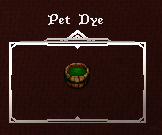
We are starting to release the ability to dye non-meta/ethereal pets.
This includes beetles, swamp dragons and more.
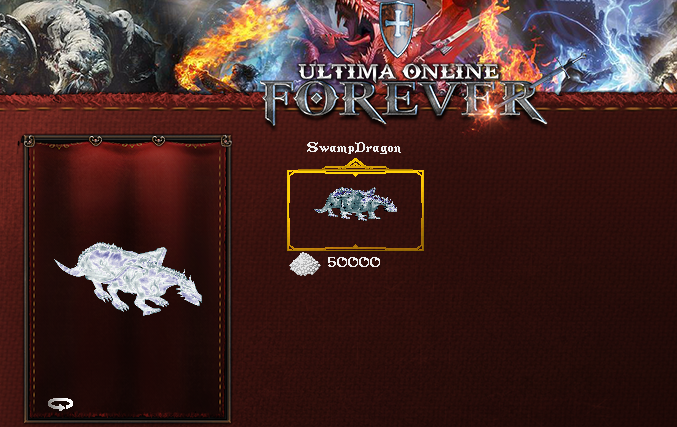
Choose your pet type, choose a hue, and rotate a live animated preview of that creature in the selected color before you buy.
A pet dye only works on a tamed creature of the matching type that you control.
Menu Layout
Both options use the same simple layout: two tabs — one to choose the item, one to choose the hue — feeding a single selection grid, with a purchase summary showing your selection and final price before you confirm.
These items are purely cosmetic and provide no combat or stat benefits.
Misc. Fixes
- Fixed the crash with the defensive tali shield throw.
- Fixed bolts restocking correctly from the butler.,
Client Patch 1.1.2.0
- Hide vegetation now works properly again
- Grid loot item border took the color of the item, fixed
- Tool tips are no longer showing to wide
- Talisman icon counters now renders correctly
- Crashes in certain areas have been adressed
- Spellbar/action bar offset is no longer wrong
- Windowed mode/borderless no longer gives the mouse cursor a bad offset
- Torso slot in the paperdoll has been added
- Fixed some text layering issues
- Incoming names now shows properly
- The long rubberbanding when dying has been fixed
- Added back highlight area effect as an option in the General tab
- Hovering corpses names should display the color properly
Client Patch 1.1.3.0
- New CPU-based rendering pipeline, restoring the classic rendering path.
- Fixed health bar and HP% text positioning for all creature graphics using per-graphic Y offsets.
- Fixed several client crashes.
- Removed the animated water effect option.
- Included various smaller bug fixes carried over from the previous release.
- Reworked grid loot box to behave like before while improving performance.
We will be continueing our work on upgrading our Forever Online Client for everyone.
As always, if there are any issues or suggestions let us know via our DISCORD.
Thank you!